



Activer les suggestions
La fonction de suggestion automatique permet d'affiner rapidement votre recherche en suggérant des correspondances possibles au fur et à mesure de la frappe.
Affichage des résultats de
- Communauté eBay
- Archives
- Acheter sur eBay
- Acheter un objet
- DEMANDES DE TRADUCTIONS FRANÇAIS ◄► ANGLAIS
Options
- S'abonner au fil RSS
- Marquer le sujet comme nouveau
- Marquer le sujet comme lu
- Placer ce Sujet en tête de liste pour l'utilisateur actuel
- Marquer
- S'abonner
- Sourdine
- Page imprimable
DEMANDES DE TRADUCTIONS FRANÇAIS ◄► ANGLAIS

Options
- Marquer comme nouveau
- Marquer
- S'abonner
- Sourdine
- S'abonner au fil RSS
- Surligner
- Imprimer
- Signaler un contenu inapproprié
le 27-02-2005 16:18
Bienvenue sur cette discussion consacrée aux demandes de traductions ANGLAISES.
NOUVEAU!!! Sur le site d'eBay.be, vous pouvez trouver une page "Communiquer avec votre interlocuteur en anglais, en néerlandais ou en allemand (traduction)" reprenant quelques tournures de phrases simples, susceptibles de vous aider dans le cadre de vos transactions.
Voir ► ► ► http://pages.befr.ebay.be/help/tp/translation_problems.html
En outre, ici vous pouvez poster ici un texte à traduire, "de l'Anglais vers le Français" ou "du Français vers l'Anglais". Des traducteurs bénévoles passent régulièrement : le texte traduit vous attendra en règle générale quelques heures plus tard.
Ces discussions vous semblent bien longues et vous avez peur de ne pas retrouver votre traduction ? Pas de souci ! Lors de votre prochaine visite et à condition d'avoir "ouvert une session", la discussion vous affichera les différentes interventions à partir de la vôtre. La traduction demandée sera donc facile à retrouver.
Un "merci" fera toujours plaisir aux membres des forums qui assurent toutes ces traductions bénévolement. Et, si vous en avez la capacité, renforcer ou relayer l'équipe déjà présente dans l'une ou l'autre langue... leur fera davantage plaisir encore !
NOUVEAU!!! Sur le site d'eBay.be, vous pouvez trouver une page "Communiquer avec votre interlocuteur en anglais, en néerlandais ou en allemand (traduction)" reprenant quelques tournures de phrases simples, susceptibles de vous aider dans le cadre de vos transactions.
Voir ► ► ► http://pages.befr.ebay.be/help/tp/translation_problems.html
En outre, ici vous pouvez poster ici un texte à traduire, "de l'Anglais vers le Français" ou "du Français vers l'Anglais". Des traducteurs bénévoles passent régulièrement : le texte traduit vous attendra en règle générale quelques heures plus tard.
Ces discussions vous semblent bien longues et vous avez peur de ne pas retrouver votre traduction ? Pas de souci ! Lors de votre prochaine visite et à condition d'avoir "ouvert une session", la discussion vous affichera les différentes interventions à partir de la vôtre. La traduction demandée sera donc facile à retrouver.
Un "merci" fera toujours plaisir aux membres des forums qui assurent toutes ces traductions bénévolement. Et, si vous en avez la capacité, renforcer ou relayer l'équipe déjà présente dans l'une ou l'autre langue... leur fera davantage plaisir encore !
Message 1 sur 5 009
5 008 RÉPONSES 5 008
DEMANDES DE TRADUCTIONS FRANÇAIS ◄► ANGLAIS

Options
- Marquer comme nouveau
- Marquer
- S'abonner
- Sourdine
- S'abonner au fil RSS
- Surligner
- Imprimer
- Signaler un contenu inapproprié
le 14-06-2007 20:01
Message 3531 sur 5 009
DEMANDES DE TRADUCTIONS FRANÇAIS ◄► ANGLAIS

Options
- Marquer comme nouveau
- Marquer
- S'abonner
- Sourdine
- S'abonner au fil RSS
- Surligner
- Imprimer
- Signaler un contenu inapproprié
le 14-06-2007 20:55
mouilltachmise (244 ) Afficher les mises en vente de l'auteur 14-06-07 20:13 CEST 3634 of 3634
aaaaaaaaaah! tu t'dégonfles hein!!
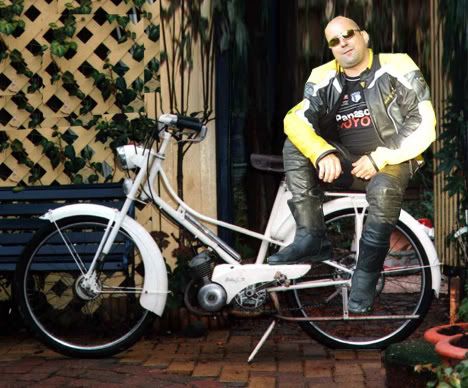
Comme le pneu arrière sur la photo originale, mais faut avouer qu'il y a de quoi !

Message 3532 sur 5 009
DEMANDES DE TRADUCTIONS FRANÇAIS ◄► ANGLAIS
Options
- Marquer comme nouveau
- Marquer
- S'abonner
- Sourdine
- S'abonner au fil RSS
- Surligner
- Imprimer
- Signaler un contenu inapproprié
le 14-06-2007 20:57
Message 3533 sur 5 009
DEMANDES DE TRADUCTIONS FRANÇAIS ◄► ANGLAIS
Options
- Marquer comme nouveau
- Marquer
- S'abonner
- Sourdine
- S'abonner au fil RSS
- Surligner
- Imprimer
- Signaler un contenu inapproprié
le 14-06-2007 21:09
Moi ? Me dégonfler ????
C'est ta mobylette qui va être dégonflée si on doit rouler à nous deux là-dessus !!!!! ___________________
La dictature c'est : "ferme ta gueule".
La démocratie c'est : "cause toujours".
(Woody Allen)


C'est ta mobylette qui va être dégonflée si on doit rouler à nous deux là-dessus !!!!! ___________________
La dictature c'est : "ferme ta gueule".
La démocratie c'est : "cause toujours".
(Woody Allen)
___________________
La dictature c'est : "ferme ta gueule".
La démocratie c'est : "cause toujours".
(Woody Allen)
La dictature c'est : "ferme ta gueule".
La démocratie c'est : "cause toujours".
(Woody Allen)
Message 3534 sur 5 009
DEMANDES DE TRADUCTIONS FRANÇAIS ◄► ANGLAIS
Options
- Marquer comme nouveau
- Marquer
- S'abonner
- Sourdine
- S'abonner au fil RSS
- Surligner
- Imprimer
- Signaler un contenu inapproprié
le 14-06-2007 21:13
Profil 1 FRANCAIS en plus, compte piraté.
___________________
La dictature c'est : "ferme ta gueule".
La démocratie c'est : "cause toujours".
(Woody Allen)
La dictature c'est : "ferme ta gueule".
La démocratie c'est : "cause toujours".
(Woody Allen)
___________________
La dictature c'est : "ferme ta gueule".
La démocratie c'est : "cause toujours".
(Woody Allen)
La dictature c'est : "ferme ta gueule".
La démocratie c'est : "cause toujours".
(Woody Allen)
Message 3535 sur 5 009
DEMANDES DE TRADUCTIONS FRANÇAIS ◄► ANGLAIS
Options
- Marquer comme nouveau
- Marquer
- S'abonner
- Sourdine
- S'abonner au fil RSS
- Surligner
- Imprimer
- Signaler un contenu inapproprié
le 14-06-2007 21:15
Oubliez, erreur de forum !
___________________
La dictature c'est : "ferme ta gueule".
La démocratie c'est : "cause toujours".
(Woody Allen)
La dictature c'est : "ferme ta gueule".
La démocratie c'est : "cause toujours".
(Woody Allen)
___________________
La dictature c'est : "ferme ta gueule".
La démocratie c'est : "cause toujours".
(Woody Allen)
La dictature c'est : "ferme ta gueule".
La démocratie c'est : "cause toujours".
(Woody Allen)
Message 3536 sur 5 009
DEMANDES DE TRADUCTIONS FRANÇAIS ◄► ANGLAIS
Options
- Marquer comme nouveau
- Marquer
- S'abonner
- Sourdine
- S'abonner au fil RSS
- Surligner
- Imprimer
- Signaler un contenu inapproprié
le 15-06-2007 02:20
@gabrielle-en-douce
oui ce sont les conditions de livraison de l'objet
oui ce sont les conditions de livraison de l'objet
Message 3537 sur 5 009
DEMANDES DE TRADUCTIONS FRANÇAIS ◄► ANGLAIS
Options
- Marquer comme nouveau
- Marquer
- S'abonner
- Sourdine
- S'abonner au fil RSS
- Surligner
- Imprimer
- Signaler un contenu inapproprié
le 15-06-2007 11:40
Bonjour,
J'ai l'impression d'abuser un peu, mais y aurait-il une bonne âme pour me traduire ce mode d'emploi ? mon anglais étant très scolaire, je rame!!
Si nécessaire, je dispose d'un fichier "Word" avec illustrations ..
I. Photo Viewer Browser Installation
The bundled “Photo Viewer Browser” is used to download photos from your PC
to the Photo Viewer. It supports Microsoft™ Windows 2000 and Windows XP.
The complete installation comes in two parts, Photo Viewer Browser and Photo
Viewer driver.
Windows XP Installation
Insert “Photo Viewer Installation CD”. The installation will start automatically.
Click “Next” to continue the installation with the following figure displayed. To
cancel installation, click “Cancel”.
Click “Next” to continue the installation with the following figure displayed.
Click “Cancel” to cancel the installation or click “Back” to return to previous step.
Select This One
Click “Continue Anyway” to continue the installation. Click “STOP Installation”
to cancel the installation.
Click “Finish” to complete the installation.
II. Photo Viewer Driver Installation
Windows XP Installation
After installing the Photo Viewer Browser, connect the Photo Viewer to your PC
via the USB cable provided. Windows XP will notify you a new hardware is
found.
Select This One
Select “No, not this time” at the above windows and click “Next” Button for next
step.
Select This One
Select “Install the Software automatically (Recommended)” at the above windows
and click “Next” Button for next step.
Select This One
It will start to search for driver in your PC. Click “Continue Anyway” at the above
windows.
When completed, it will show the above window. Please click the “Finish” button.
Microsoft™ Windows will show that new hardware is ready to use. You can now
remove the Installation CD from the CD ROM drive.
III. Basic Photo Viewer Usage
Key Arrangement
There are three buttons and one USB connector in the Photo Viewer.
- Power/Menu
- Next
- Previous
Power ON- OFF
Press “Power/Menu” key to turn on the Photo Viewer. A startup screen will be
shown.
After 1 second, it will begin to display existing photos stored on the Photo Viewer.
Press “Next” or “Previous” to view other photos
To turn OFF the Photo Viewer, press and hold the Menu key again.
IV. Photo Viewer Program Usage
The Photo Viewer is extremely easy to use and starts automatically when the
Photo Viewer is plugged into the PC. The Main window is shown below.
Connect the Photo Viewer to the PC via the USB cable.
“Photo Viewer Connected” should be displayed on the status bar if the Photo
Viewer is connected to the PC.
When connected to the PC, the Photo Viewer should display the screen below.
Please be aware that while the Photo Viewer is connected to the PC through the
USB cable you will not be able to view images on the Photo Viewer.
Using the standard Windows menu in the top left of the Main Photo Viewer menu,
you can browse any folder on your computer to see all the photos in the selected
folder. Just drag the photo from the folder to the Photo Viewer album. The Photo
Explorer software automatically makes a copy of the photo you have selected and
resizes it to look best when downloaded to the Photo Viewer!
Drag your photos into the Photo Viewer Album. Your Photo Viewer can store up
to 56 photos.
To download the photos you have selected onto the Photo Viewer, press the
“Download” button. When the download is finished, press “OK” to close the
dialog box.
Press “OK” and you may now unplug the Photo Viewer and view your favorite
photos.
Note: The Photo Explorer will automatically minimize when the Photo Viewer is
unplugged and it will automatically launch itself when Photo Viewer is plugged
into the PC.
If you want to completely exit the Photo Viewer program, please click “Exit”
in “File” menu. Doing so will not launch Photo Viewer program
automatically when the Photo Viewer is plugged in again. If you accidentally
exit the program this way, simply select Photo Viewer program from the Start
menu to launch it again.
Double click one photo on preview window to enter the screen of editing image.
This time, you can rotate, mirror or crop the photo, after finishing the image edit,
then press “Add Photo” button to add the photo into Album.
Crop photo, you need press the left key of Mouse and drag, there will appear a pane
with broken line, and you can crop the photo by the pane, then press “Crop” button
to crop the photo, finally press the “Add Photo” button to add the photo into Album.
If you are dissatisfied with the cropped photo, you can press “Restore” button to
restore the original photo.
Deleting Photos from the Photo Viewer:
To remove any photo from the Photo Viewer, use the Photo Viewer Explorer
software.
Right click the photo you want to delete and select “Delete”. After you click
“Download” again when the Photo Viewer is connected with the PC, the photo
will be permanent removed from the Photo Viewer.
V. Advanced Photo Viewer Usage
Changing Settings through the Setup Mode
To change settings on your Photo Viewer for things like slide show speed, delete
one photo, delete all photos, please follows these steps:
1. Press Menu key to turn on Photo Viewer
2. When viewing photos press Menu key to enter Menu mode
3. Choose the option you want to change by pressing the “Next” or
“Previous” key. Select the highlighted option by pressing the “Menu” key
to enter the submenu.
You may set a maximum of 5 seconds delay between photos when the Photo
Viewer is displaying a slide show. You may also turn it off. The default Slide
Show setting is “Off”.
Press the “Next” or “Previous” key to change the setting. Press the “Menu” key to
save the setting and exit to photo view mode. If you have not press “Menu” key
over 5seconds, it will auto save the current display setting and exit to photo view
mode.
During slide show play photo, pressing and holding “Next” or “Previous” key can
pause the slide show. Release buttons to continue the slide show.
Note: 1. At slide show off status, the Photo Viewer will automatically power
off after 2 minutes if you have not do any actions within 2 minutes.
2. At slide show status, the Photo Viewer will be able not automatically power
off and will continuously play photos if you have not manual power off the
Photo Viewer.
Press the “Next” or “Previous” key to choose the “Delete One” option and press
“Menu” key to enter the submenu.
Press the “Menu” key to confirm the deletion, it will delete the current one photo,
or you can press “Next” or “Previous” to cancel the deletion.
Press the “Next” or “Previous” key to choose the “Delete All” option and press
“Menu” key to enter the
submenu.
Press the “Menu” key to confirm the deletion, it will delete all photos in photo
viewer, or you can press “Next” or “Previous” to cancel the deletion.
Firmware Version
VI. Charging the Battery on your Photo Viewer:
The Photo Viewer uses the USB connection to recharge the battery. Simply connect
the Photo Viewer to your PC via the Mini-B USB cable and your Photo Viewer is
being recharged. It takes approximately 90 minutes to fully charge the unit and at the
default settings, estimated battery life is 3 hours
J'ai l'impression d'abuser un peu, mais y aurait-il une bonne âme pour me traduire ce mode d'emploi ? mon anglais étant très scolaire, je rame!!
Si nécessaire, je dispose d'un fichier "Word" avec illustrations ..
I. Photo Viewer Browser Installation
The bundled “Photo Viewer Browser” is used to download photos from your PC
to the Photo Viewer. It supports Microsoft™ Windows 2000 and Windows XP.
The complete installation comes in two parts, Photo Viewer Browser and Photo
Viewer driver.
Windows XP Installation
Insert “Photo Viewer Installation CD”. The installation will start automatically.
Click “Next” to continue the installation with the following figure displayed. To
cancel installation, click “Cancel”.
Click “Next” to continue the installation with the following figure displayed.
Click “Cancel” to cancel the installation or click “Back” to return to previous step.
Select This One
Click “Continue Anyway” to continue the installation. Click “STOP Installation”
to cancel the installation.
Click “Finish” to complete the installation.
II. Photo Viewer Driver Installation
Windows XP Installation
After installing the Photo Viewer Browser, connect the Photo Viewer to your PC
via the USB cable provided. Windows XP will notify you a new hardware is
found.
Select This One
Select “No, not this time” at the above windows and click “Next” Button for next
step.
Select This One
Select “Install the Software automatically (Recommended)” at the above windows
and click “Next” Button for next step.
Select This One
It will start to search for driver in your PC. Click “Continue Anyway” at the above
windows.
When completed, it will show the above window. Please click the “Finish” button.
Microsoft™ Windows will show that new hardware is ready to use. You can now
remove the Installation CD from the CD ROM drive.
III. Basic Photo Viewer Usage
Key Arrangement
There are three buttons and one USB connector in the Photo Viewer.
- Power/Menu
- Next
- Previous
Power ON- OFF
Press “Power/Menu” key to turn on the Photo Viewer. A startup screen will be
shown.
After 1 second, it will begin to display existing photos stored on the Photo Viewer.
Press “Next” or “Previous” to view other photos
To turn OFF the Photo Viewer, press and hold the Menu key again.
IV. Photo Viewer Program Usage
The Photo Viewer is extremely easy to use and starts automatically when the
Photo Viewer is plugged into the PC. The Main window is shown below.
Connect the Photo Viewer to the PC via the USB cable.
“Photo Viewer Connected” should be displayed on the status bar if the Photo
Viewer is connected to the PC.
When connected to the PC, the Photo Viewer should display the screen below.
Please be aware that while the Photo Viewer is connected to the PC through the
USB cable you will not be able to view images on the Photo Viewer.
Using the standard Windows menu in the top left of the Main Photo Viewer menu,
you can browse any folder on your computer to see all the photos in the selected
folder. Just drag the photo from the folder to the Photo Viewer album. The Photo
Explorer software automatically makes a copy of the photo you have selected and
resizes it to look best when downloaded to the Photo Viewer!
Drag your photos into the Photo Viewer Album. Your Photo Viewer can store up
to 56 photos.
To download the photos you have selected onto the Photo Viewer, press the
“Download” button. When the download is finished, press “OK” to close the
dialog box.
Press “OK” and you may now unplug the Photo Viewer and view your favorite
photos.
Note: The Photo Explorer will automatically minimize when the Photo Viewer is
unplugged and it will automatically launch itself when Photo Viewer is plugged
into the PC.
If you want to completely exit the Photo Viewer program, please click “Exit”
in “File” menu. Doing so will not launch Photo Viewer program
automatically when the Photo Viewer is plugged in again. If you accidentally
exit the program this way, simply select Photo Viewer program from the Start
menu to launch it again.
Double click one photo on preview window to enter the screen of editing image.
This time, you can rotate, mirror or crop the photo, after finishing the image edit,
then press “Add Photo” button to add the photo into Album.
Crop photo, you need press the left key of Mouse and drag, there will appear a pane
with broken line, and you can crop the photo by the pane, then press “Crop” button
to crop the photo, finally press the “Add Photo” button to add the photo into Album.
If you are dissatisfied with the cropped photo, you can press “Restore” button to
restore the original photo.
Deleting Photos from the Photo Viewer:
To remove any photo from the Photo Viewer, use the Photo Viewer Explorer
software.
Right click the photo you want to delete and select “Delete”. After you click
“Download” again when the Photo Viewer is connected with the PC, the photo
will be permanent removed from the Photo Viewer.
V. Advanced Photo Viewer Usage
Changing Settings through the Setup Mode
To change settings on your Photo Viewer for things like slide show speed, delete
one photo, delete all photos, please follows these steps:
1. Press Menu key to turn on Photo Viewer
2. When viewing photos press Menu key to enter Menu mode
3. Choose the option you want to change by pressing the “Next” or
“Previous” key. Select the highlighted option by pressing the “Menu” key
to enter the submenu.
You may set a maximum of 5 seconds delay between photos when the Photo
Viewer is displaying a slide show. You may also turn it off. The default Slide
Show setting is “Off”.
Press the “Next” or “Previous” key to change the setting. Press the “Menu” key to
save the setting and exit to photo view mode. If you have not press “Menu” key
over 5seconds, it will auto save the current display setting and exit to photo view
mode.
During slide show play photo, pressing and holding “Next” or “Previous” key can
pause the slide show. Release buttons to continue the slide show.
Note: 1. At slide show off status, the Photo Viewer will automatically power
off after 2 minutes if you have not do any actions within 2 minutes.
2. At slide show status, the Photo Viewer will be able not automatically power
off and will continuously play photos if you have not manual power off the
Photo Viewer.
Press the “Next” or “Previous” key to choose the “Delete One” option and press
“Menu” key to enter the submenu.
Press the “Menu” key to confirm the deletion, it will delete the current one photo,
or you can press “Next” or “Previous” to cancel the deletion.
Press the “Next” or “Previous” key to choose the “Delete All” option and press
“Menu” key to enter the
submenu.
Press the “Menu” key to confirm the deletion, it will delete all photos in photo
viewer, or you can press “Next” or “Previous” to cancel the deletion.
Firmware Version
VI. Charging the Battery on your Photo Viewer:
The Photo Viewer uses the USB connection to recharge the battery. Simply connect
the Photo Viewer to your PC via the Mini-B USB cable and your Photo Viewer is
being recharged. It takes approximately 90 minutes to fully charge the unit and at the
default settings, estimated battery life is 3 hours
Message 3538 sur 5 009
DEMANDES DE TRADUCTIONS FRANÇAIS ◄► ANGLAIS
Options
- Marquer comme nouveau
- Marquer
- S'abonner
- Sourdine
- S'abonner au fil RSS
- Surligner
- Imprimer
- Signaler un contenu inapproprié
le 15-06-2007 13:19
Salut.
Tu as été voir sur :
http://mesnotices.fr/
? ___________________
La dictature c'est : "ferme ta gueule".
La démocratie c'est : "cause toujours".
(Woody Allen)
Tu as été voir sur :
http://mesnotices.fr/
? ___________________
La dictature c'est : "ferme ta gueule".
La démocratie c'est : "cause toujours".
(Woody Allen)
___________________
La dictature c'est : "ferme ta gueule".
La démocratie c'est : "cause toujours".
(Woody Allen)
La dictature c'est : "ferme ta gueule".
La démocratie c'est : "cause toujours".
(Woody Allen)
Message 3539 sur 5 009
DEMANDES DE TRADUCTIONS FRANÇAIS ◄► ANGLAIS
Options
- Marquer comme nouveau
- Marquer
- S'abonner
- Sourdine
- S'abonner au fil RSS
- Surligner
- Imprimer
- Signaler un contenu inapproprié
le 15-06-2007 16:47
@ cedanka,
--2 prix de livraison possibles
2 possible shipping options/fees
--je me degage de toute responsabilité si un probleme survient lors de la livraison(non reception,dommage,etc)
I assume no responsibility if there are any problems during delivery (item not received, damage in transport, etc)
--à vos risques et perils
at your own risk
--si vous choisissez le tarif envoi " Registered with declared value----
With proof of delivery "
If you choose the postage rate "Registered with ...
--je vous propose une reduction de 50% des frais par rapport "The base price "
I offer you a 50% discount compared to the base price
Voilà, je te laisse assembler les morceaux. Bon week-end! :-)

--2 prix de livraison possibles
2 possible shipping options/fees
--je me degage de toute responsabilité si un probleme survient lors de la livraison(non reception,dommage,etc)
I assume no responsibility if there are any problems during delivery (item not received, damage in transport, etc)
--à vos risques et perils
at your own risk
--si vous choisissez le tarif envoi " Registered with declared value----
With proof of delivery "
If you choose the postage rate "Registered with ...
--je vous propose une reduction de 50% des frais par rapport "The base price "
I offer you a 50% discount compared to the base price
Voilà, je te laisse assembler les morceaux. Bon week-end! :-)
Message 3540 sur 5 009

Publications à la Une